
← All software
Max for Live · controller utility
Feedback
Program the visual feedback you need.
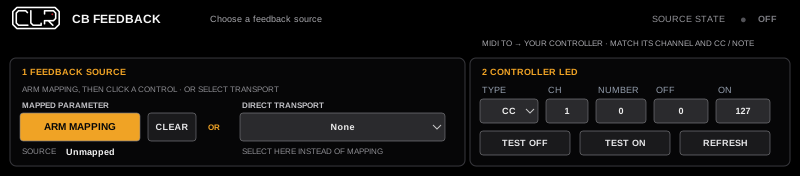
Add LED feedback to Live or exposed plug-in controls that don’t send it automatically. Set the MIDI messages your controller needs, so its lights follow changes made by the mouse, automation or another controller.
How it works
Choose — Route — Test
Choose the source, route the MIDI track’s output to your controller, then use Test Off and Test On to check its lights.
On/off button LEDs only—not continuous encoder rings or universal RGB control.
Current prototype: verify the source and output after reopening a Set.
Setup and quickstart →